Autodesk Access - Reinstallation

Object: Reinstall Autodesk Access
Description
This procedure explains how to uninstall and then reinstall the Autodesk Access application.
Etapes
-
In the Windows search bar, type
appwiz.cpland press Enter.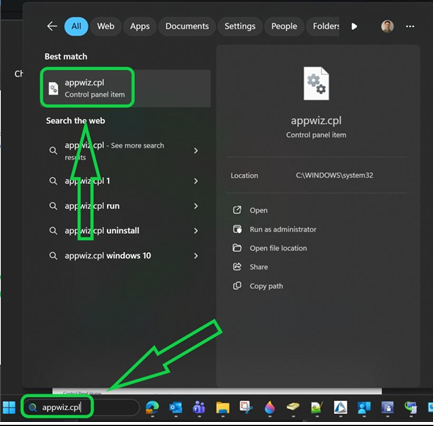
-
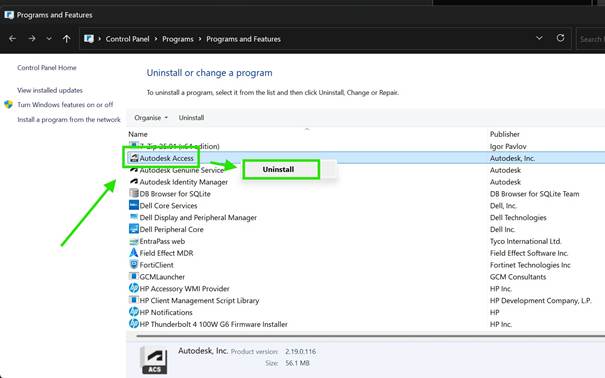
Right-click on Autodesk Access in the list and select Uninstall. Then, restart your computer.
-
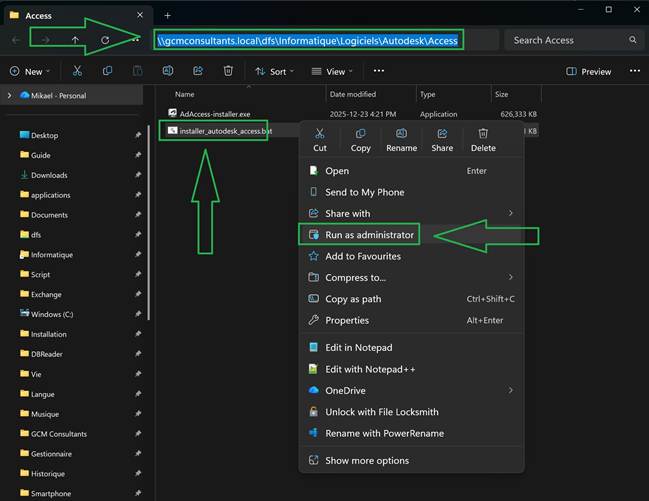
Copy the following path and paste it into the File Explorer address bar, then press Enter:
\\gcmconsultants.local\dfs\Informatique\Logiciels\Autodesk\Access -
Right-click on the
installer_autodesk_accessfile and select Run as administrator.