Gestionnaire - Reinstallation - EN

Object: Reinstall the GCM Launcher
Description
This procedure guides you through the uninstallation and reinstallation of the GCM Launcher application.
Steps
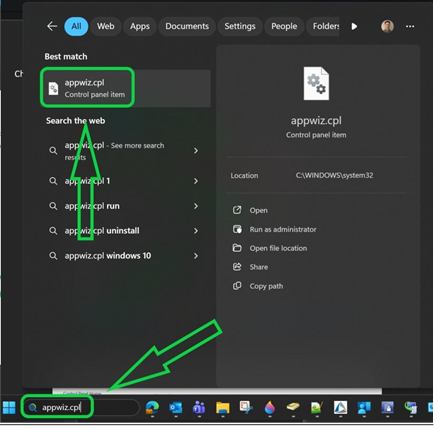
- Search for
appwiz.cplin the Windows search bar and open it.
- Select
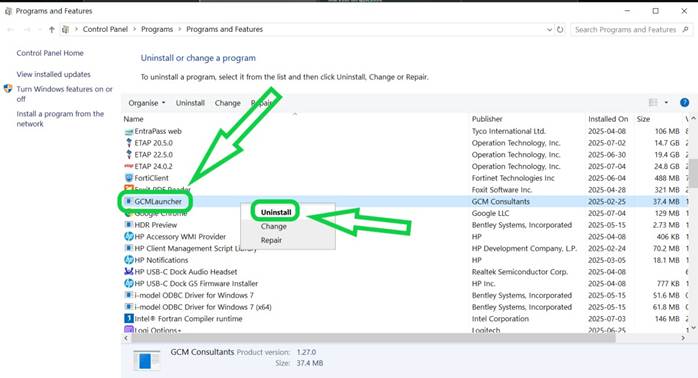
GCMLauncherfrom the list of programs, uninstall it, and then restart your computer.
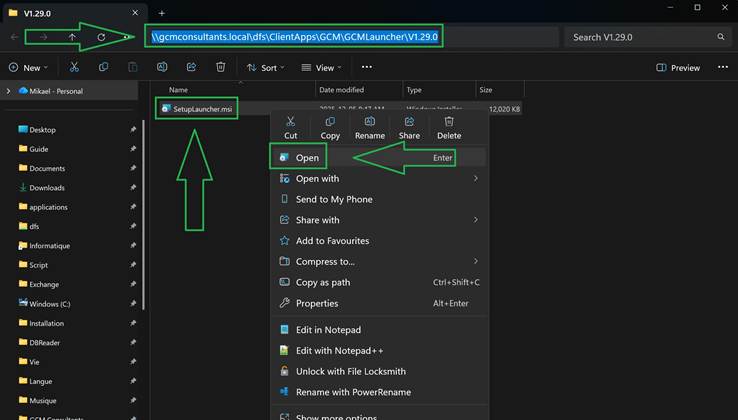
- Copy the path
\\gcmconsultants.local\dfs\ClientApps\GCM\GCMLauncher\V1.29.0, paste it into the File Explorer address bar, and run theSetupLauncherfile to install the application.