STAAD.Pro 2025 - Installation - EN

Object: Install STAAD.Pro 2025
Description
This guide provides the steps to install the STAAD.Pro 2025 software on your computer.
Steps
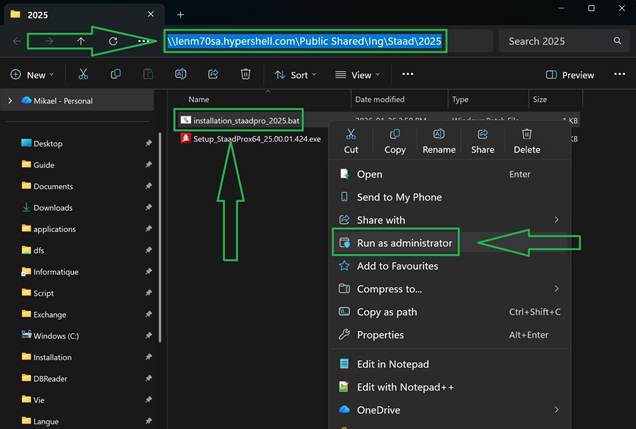
- Copy and paste the following path into your File Explorer's address bar:
\\lenm70sa.hypershell.com\Public Shared\Ing\Staad\2025 - Right-click the
installation_staadpro_2025file and select "Run as administrator".
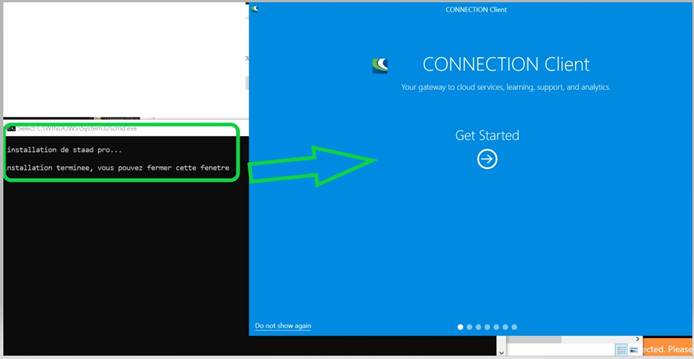
- Log in to your Bentley account after the installation is finished.